Somatic practice for iPhone
Meet your nervous system where it is.
Most practice apps ask what you want to do. SoMi asks how you are — then builds a short flow of body-based exercises for that answer.
How it works
Four moves, start to finish.
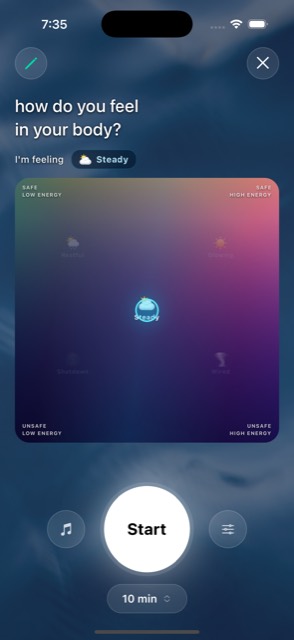
Say how you actually are
No mood menu. You place yourself on a two-axis map — how much energy you have, and how safe you feel. The app reads that as one of five states and builds from there.
A sequence built for that state, not a playlist
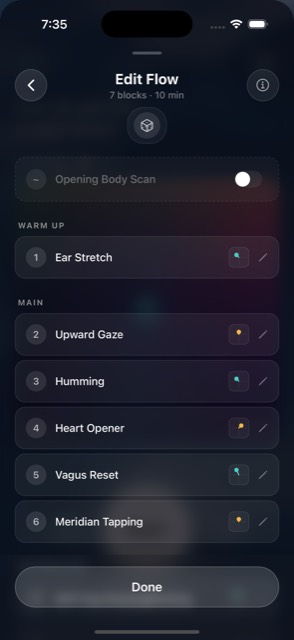
Pick a window from 5 to 18 minutes and a flow is composed for you — warm-up into main work, ordered so each exercise sets up the next. Reroll it, swap any block, or add a body scan at either end.
Follow along, then feel what changed
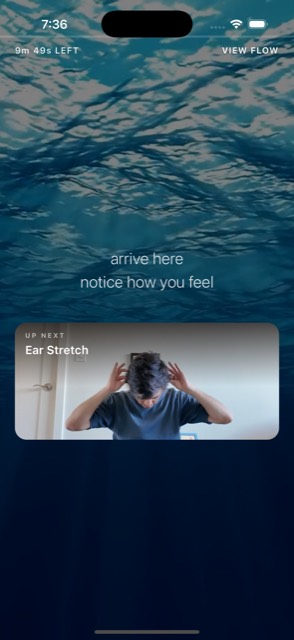
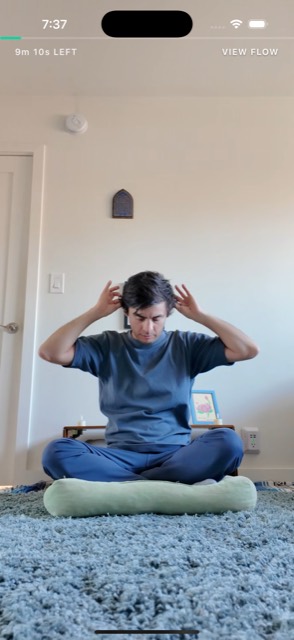
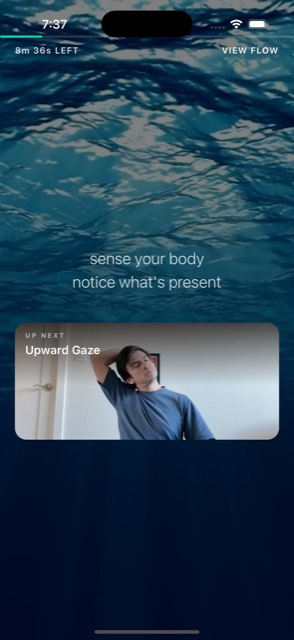
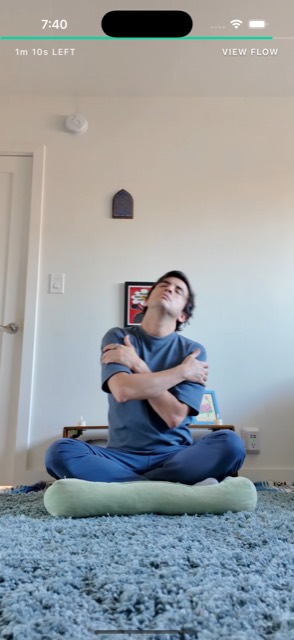
Each exercise is a short guided video with a voice you can hear over your own music. Between every one there's a 15–30 second pause on moving water — the part most practice apps skip, and the part that does the work.
Notice the arc
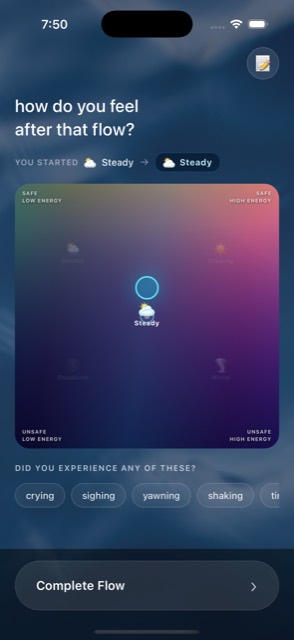
Place yourself on the map again. Tag what showed up — crying, sighing, yawning, shaking — and add a note if you want one. Over time the calendar shows you the pattern, not just the streak.
The map
Two questions, five states.
How much energy do you have, and how safe do you feel? Those two axes are enough to tell a jittery day from a heavy one — and they are the only thing SoMi needs to know before it starts composing.
Low energy Safe
High energy Unsafe
Low energy Unsafe
High energy 🌙
Restful ☀️
Glowing 🌑
Shutdown ⚡️
Wired
Drag anywhere. Lift your finger and the flow regenerates for wherever you landed.
- Restful Safe, low energy. Settled and quiet.
- Glowing Safe, high energy. Open and alive.
- Shutdown Unsafe, low energy. Flat, foggy, far away.
- Wired Unsafe, high energy. Buzzing and braced.
- Steady The middle. Not a goal so much as a place you pass through.
Inside
Small app. Careful about the details that matter.
Pauses that count
Every block is bracketed by an integration pause on ocean footage. The session is built around the settling, not just the movement.
Voice and music, separately
Two independent volume sliders. Turn the guide down once you know the exercise, or turn the music off entirely.
Yours to edit
The composed flow is a starting point. Swap a block you are not feeling, reroll the whole thing, toggle the body scans.
A streak you can trust
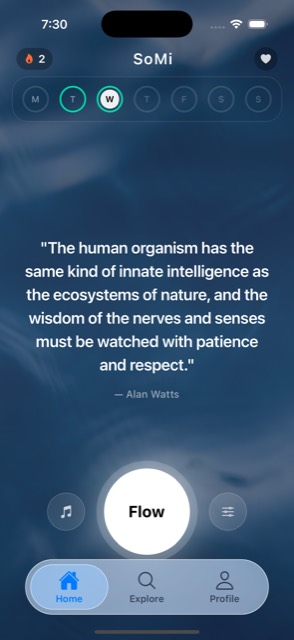
A calendar of real sessions with your top streak, total practice minutes and every check-in you have logged.
A body journal
Tag the sighing, the shaking, the warmth. Add a note. It stays yours — private to your account, never used for advertising.
Sign in the quiet way
Sign in with Apple — including Hide My Email — or a plain email and password. No social account required.
Moments
For when you already know what is going on.
Some days you do not want to be asked anything. Moments are fixed, hand-picked sequences for a specific situation — same order every time, no check-in, straight in.
- Wake the Body Heavy, groggy, still in bed at heart Morning
- Desk Reset Tense shoulders, tight jaw, screen fatigue Midday
- Before the Hard Thing Nerves before a meeting, a call, a conversation Any time
- Too Much Overwhelmed, spiraling, need to come down Right now
- Down to Rest Wired at night, can't switch off Evening
Every screen
The whole app, in order.
Scroll sideways →
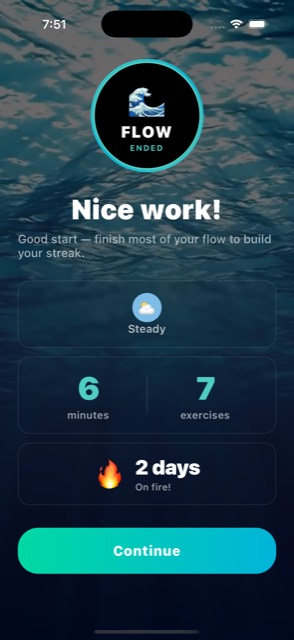
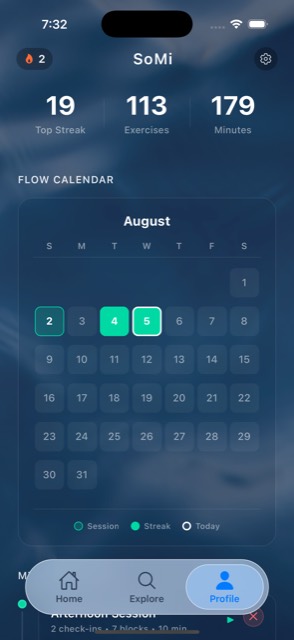
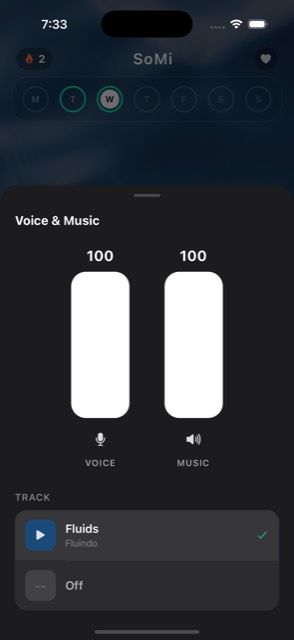
Plainly
What SoMi is not.
It is not therapy, and it is not a medical device. It does not diagnose, treat, cure or prevent anything, and nothing in it is medical advice. The exercises are a way of organising somatic practice — not a clinical claim about what will happen in your body.
Somatic work can surface strong feeling. If you have a heart, blood pressure, neck, eye or inner-ear condition, are pregnant, or are working through trauma, talk to a professional before starting and practise with support. Stop if something hurts.
Questions
Before you download.
What is a somatic exercise?
A small, deliberate physical action — humming, an ear stretch, shaking out your hands, covering your eyes — chosen for its effect on your nervous system rather than your muscles. Most take under a minute and none of them look like exercise.
Do I need space, equipment or a mat?
No. Everything can be done seated or standing in whatever you are already wearing. Some longer flows end lying down if you have the floor for it.
How long is a session?
You choose, between 5 and 18 minutes. The flow is composed to fit the window you picked, including the pauses between exercises.
Is SoMi therapy?
No. SoMi is a wellbeing app for everyday self-regulation. It does not diagnose, treat or cure anything, and it is not a substitute for care from a licensed professional. If you are working through trauma, please practise alongside someone qualified to support you.
What does it cost?
SoMi is free to download and use, with no ads.
Is there an Android version?
Not yet. SoMi is an iPhone app today. If you want to be told when that changes, email us.
Start where you actually are.
5 minutes is enough. iPhone, iOS 16 or later.